Open Quattro Pro FilesWithout QuattroBulk-convert folders on Windows
Convert .qpw, .wq1/.wq2, and .wb* notebooks to XLSX, PDF, HTML, Markdown, CSV, or XLS — no Quattro Pro or WordPerfect Office required.
Free Windows trial on PC · 10 files
Requires Windows 10 or 11. No subscriptions. One-time license.
Don't Risk Legacy Spreadsheet Data with Free Cloud Converters
Quattro Pro archives often contain payroll, pricing, client ledgers, forecasts, and regulated operational records.
The Risk
Cloud converters may retain confidential spreadsheets or process them outside your approved data boundaries.
The Scale Problem
Opening files one at a time does not work for departmental archives or acquisition data rooms.
The Format Gap
Old .qpw, .wq1, .wb1, and .wb* files need modern outputs before teams can search, analyze, or preserve them.
Popular Quattro Pro conversions
Jump straight to a step-by-step guide for the format you need.
You converted the spreadsheets. Now search them.
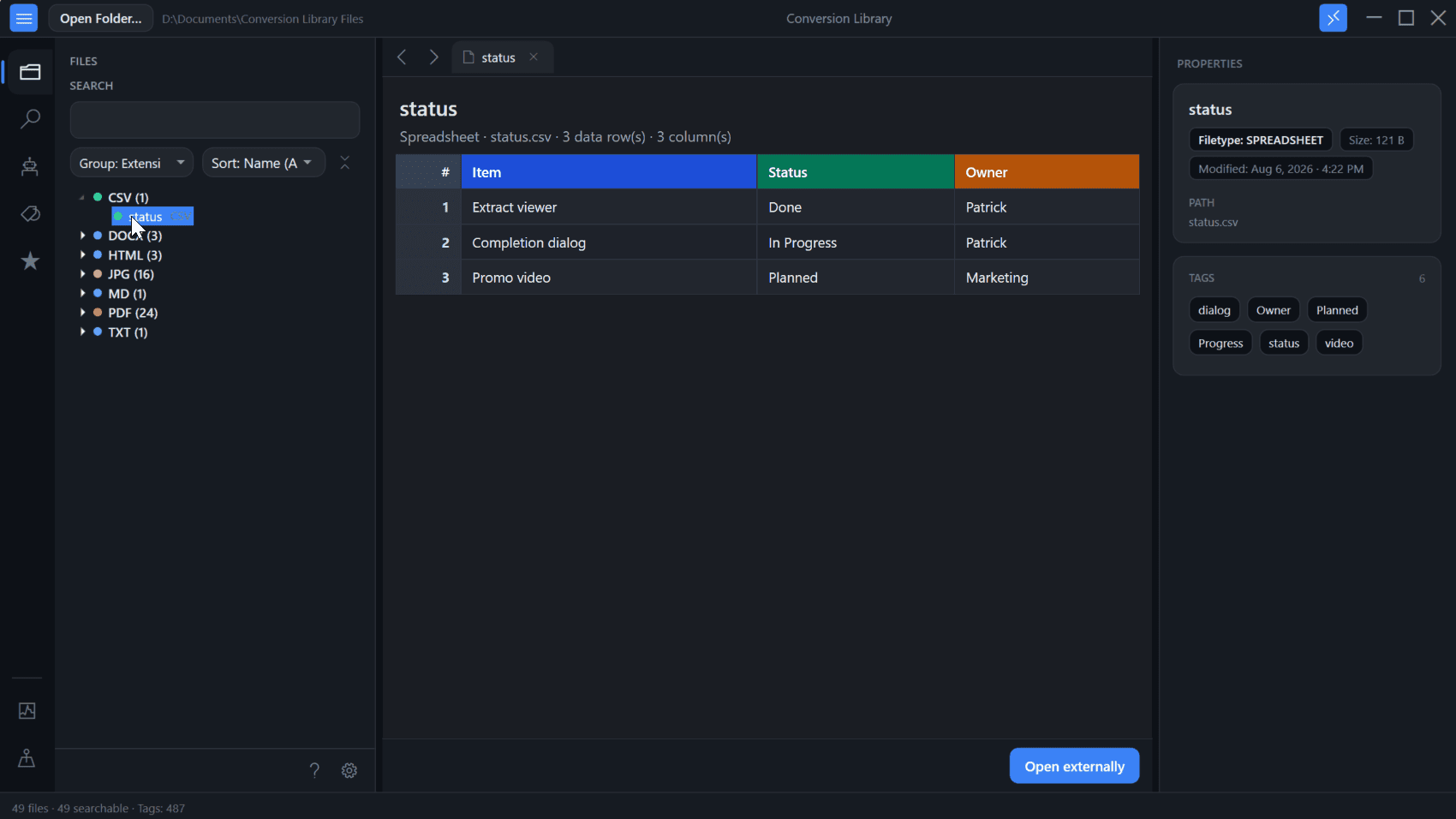
Standard converts Quattro Pro workbooks locally on this PC. Plus unlocks Conversion Library — a private library of the spreadsheets you converted. Search XLSX, PDF, CSV, HTML, and Markdown. Add tags and knowledge maps. Open previews. Same installer. Unlock with a Plus key. Nothing is uploaded.
- Full-text search across converted XLSX, PDF, CSV, HTML, and Markdown on this PC
- Tags to organize related Quattro Pro workbooks you converted
- Knowledge maps that show how workbooks connect
- Built-in spreadsheet previews — Excel, PDF, and more
- Same Windows installer as Standard — unlock with a Plus key
Plus add-on $29.95 if you already have Standard. Standard + Plus from the start is $69.90.
What you get
Open legacy Quattro Pro workbooks without the original app — then bulk-convert with fidelity that holds up for finance and ops.
No Quattro Pro Needed
Don't hunt down a 25-year-old Quattro Pro or WordPerfect Office license just to open old workbooks. Quattro Pro Converter is fully standalone — no Corel/Borland software, no Excel add-ins, no third-party runtimes. Install and convert.
100% Local Processing
Quattro Pro Converter works where your spreadsheets are. Workbooks stay on your machine, behind your firewall — suitable for SOX, GLBA, HIPAA, and contractual confidentiality obligations that prohibit cloud uploads of regulated data.
Bulk & Multi-Format Output
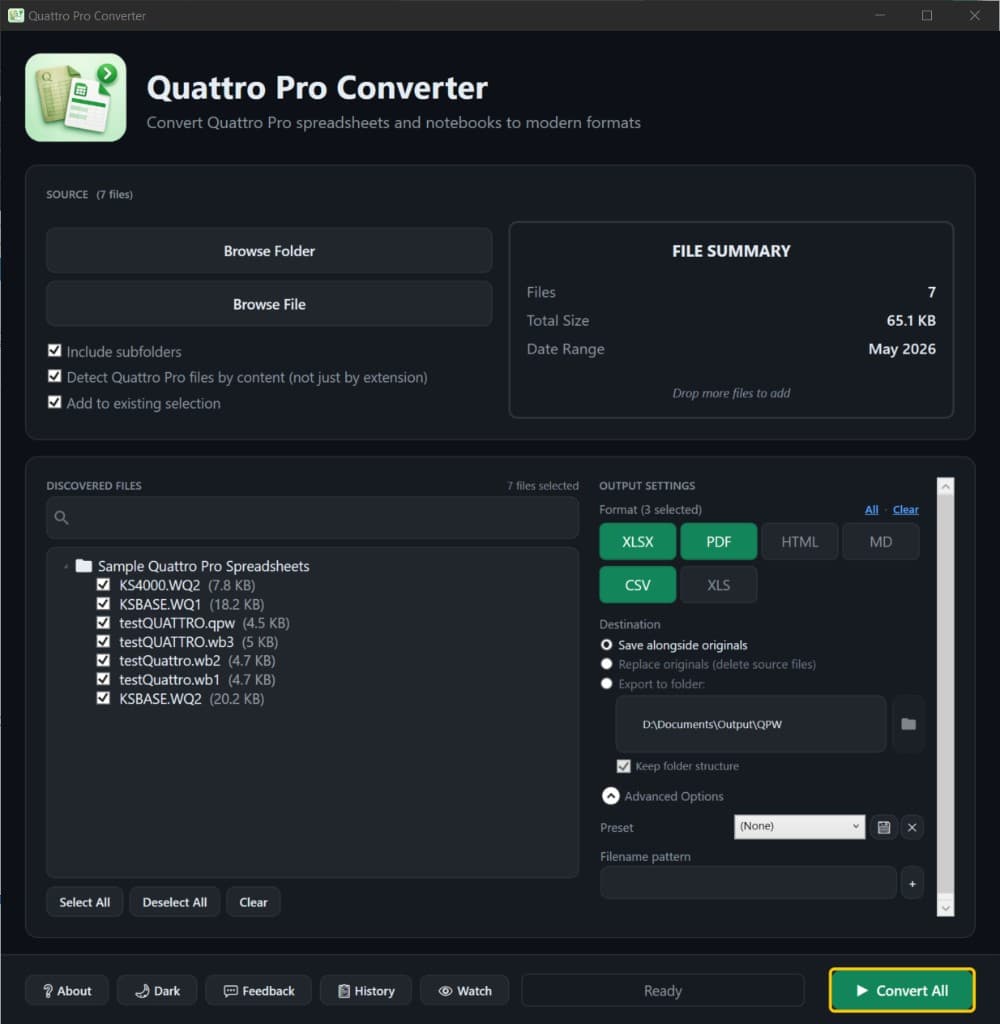
Point Quattro Pro Converter at folder trees and convert thousands of workbooks in one pass. Tick XLSX, CSV, PDF, and more together — process the archive once, get every output your downstream teams need.
Explorer & Watch Folders
Right-click a file or folder in Windows Explorer for quick convert, or point a watch folder at a migration drop zone so new .wq1, .wq2, .wb2, or .qpw files convert automatically.
Multi-Sheet Workbook Fidelity
Purpose-built for Quattro Pro. We preserve every tab in a multi-sheet .wb2 or .qpw workbook in the XLSX output, keep number formats intact, and translate cells, formulas, and named ranges where the source data allows.
Supported formats
Convert common Borland and Corel WordPerfect Office-era Quattro Pro spreadsheet files into modern formats for review, archive, and analytics.
Inputs
.qpw, .wq1, .wq2, .wb1, .wb2, .wb3
Outputs
XLSX, PDF, HTML, Markdown, CSV, XLS
Simple, Transparent Pricing
One-time purchase. No subscriptions. No hidden fees.
Try first — convert up to 10 Quattro Pro files free, then choose personal or commercial.
Free Windows trial on PC · 10 files
Step 1
Who is this for?
Step 2
Choose Standard or Standard + Plus
Products are Standard and Plus — licensed for personal use.
Standard
one-time · personal use
- Unlimited conversions
- All 6 output formats
- Lifetime access to version 6.x
- Bulk & folder processing
- .qpw, .wq1/.wq2, .wb1/.wb2/.wb3
- Runs locally — nothing uploaded
- 30-day money-back guarantee
Want search and spreadsheet previews? Conversion Library Plus is an add-on ($29.95).
Standard + Plus
one-time · personal · two licenses
- Standard (unlimited conversions)$39.95
- Plus (Conversion Library)$29.95
- Full-text search across converted XLSX, PDF, CSV, HTML, and Markdown
- Tags to organize related Quattro Pro workbooks
- Knowledge maps that show how workbooks connect
- Built-in spreadsheet previews
- Same Windows installer as Standard — unlock with a Plus key
Already have Standard? Add Plus ($29.95)
Preparing converted archives for RAG or LLM workflows? AI spreadsheet prep · Product roadmap
More than Quattro Pro files?
Legacy File Converter · from $79.95
Convert WordPerfect, Lotus, images, and 100+ legacy formats — fully offline, from the same team.
FAQ
Does Quattro Pro Converter require Quattro Pro to be installed?
No. It is a standalone Windows application that uses a bundled conversion engine and does not require Quattro Pro.
Do my spreadsheets leave my computer?
No. Conversion happens locally on your Windows computer. Files are not uploaded to our servers.
Is there a free trial?
Yes. The free trial lets you convert up to 10 files to test the software.
What is Conversion Library Plus?
You converted the archive. Plus is how you find it again. Standard converts Quattro Pro spreadsheets locally on your PC. Plus unlocks Conversion Library — local search, previews, tags, bookmarks, knowledge maps, saved searches, and review packs. Same installer; unlock with a Plus key ($29.95 add-on, or $69.90 for Standard + Plus). Nothing is uploaded. Windows desktop only. Learn more about Conversion Library.